Compose HotSwan Blog
Hot Reloading AGSL Shaders Without a Rebuild: A Compose Walkthrough

May 8, 2026 · 9 min read
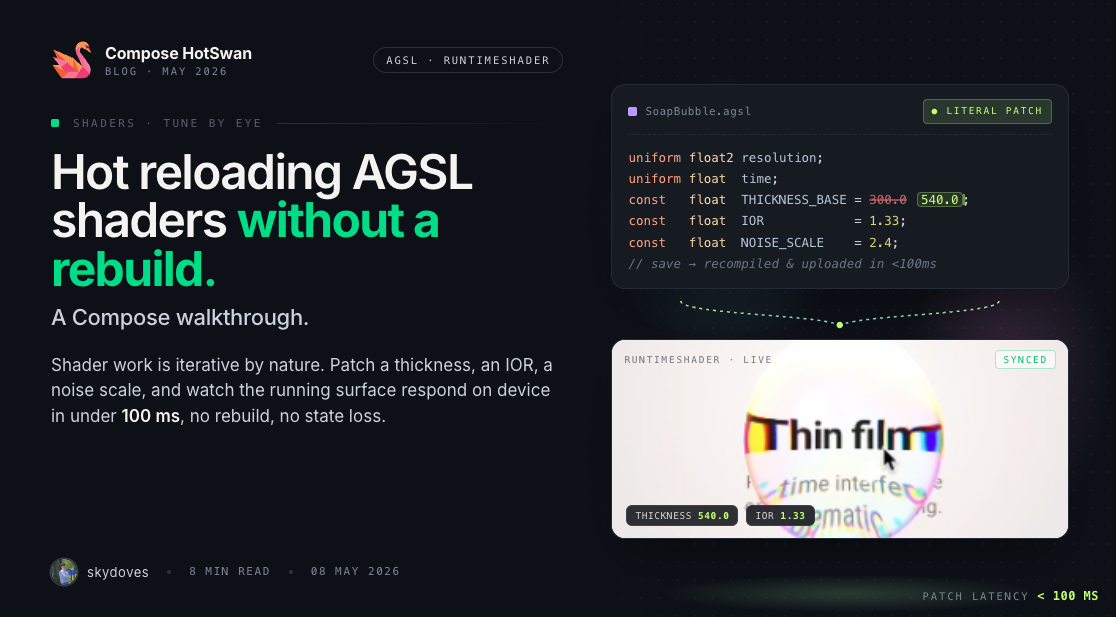
The same tuning loop, one layer deeper
When you tune a Compose animation live with Compose Hot Reload, you change a dampingRatio = 0.6f to 0.85f, save the file, and watch the spring settle differently within the same frame your finger is touching the screen. That feedback loop is what makes hot reload feel different from a normal build cycle, and the previous post in this series on tuning Compose animations covered why it matters.
What changes when you push past Animatable and tween into AGSL: a shader source string embedded inside Kotlin, compiled by RuntimeShader, fed uniforms every frame? Some lines in that file hot reload. Some don't. The boundary depends on a single line of Kotlin that most shader samples leave out.
In this article, you'll explore an AGSL thin film soap bubble sample and identify exactly which knobs are tunable at runtime, why remember(SHADER_SRC) is the line that makes shader edits propagate to the running program, how Kotlin side animation specs smooth the transitions when you change a number, and which classes of edit still force a full build.
The sample: a draggable thin film soap bubble
The sample lives in the compose-animations repo as AnimationExample22.kt. The structure is straightforward: a draggable orb backed by Animatable<Offset> carries a deformation spring and a pop progress value, and a RuntimeShader reads all of that as uniforms while sampling the composable underneath via composable.eval(...). Two surfaces are tunable: Kotlin side numeric vals at the top of the function, and AGSL constants declared inside the shader's main().
Credit and Original Work
The original soap bubble physics and the AGSL thin film shader are by Kyriakos Georgiopoulos. The Compose adaptation discussed in this post is a Jetpack Compose port of that work, with all tunable values lifted into local vals and the AGSL constants kept inside main() so that HotSwan's literal patching can target them at runtime.
Reference gist: gist.github.com/Kyriakos-Georgiopoulos/8d76b6ba97aea70762420bd88ed6dc4f
The video shows what live tuning looks like for this sample. Each color shift, each radius change, each thickness adjustment was a save in the IDE, not a process restart. The bubble keeps its position. The drag spring keeps its physics. Only the values you change update.
Pull AGSL constants into the shader body
Inside the AGSL main(), the sample declares its thickness and color knobs as plain locals, not as uniforms:
half4 main(float2 fragCoord) {
  float THICKNESS_BASE = 300.0;
  float THICKNESS_GRAVITY = 120.0;
  float THICKNESS_SWIRL = 100.0;
  float THICKNESS_DETAIL = 40.0;
  float COLOR_INTENSITY = 2.0;
  float EDGE_FADE_END = 0.20;
  float ENV_REFLECTION_STRENGTH = 0.4;
  float ENV_BLUR_RADIUS = 50.0;
  // ... rest of the shader ...
}
These are the physical knobs of the thin film model. THICKNESS_BASE controls the average soap film thickness in nanometers, which sets the baseline rainbow position. COLOR_INTENSITY multiplies the final fresnel weighted color before it adds to the background. EDGE_FADE_END controls how quickly interference fades into the rim. ENV_BLUR_RADIUS controls how much the environment reflection blurs.
Why declare them inside the shader body and not as uniforms? Because every uniform you add is one more line you must keep in sync between AGSL and Kotlin. Locals at the top of main() are part of the AGSL source string. Change one, and the whole SHADER_SRC string changes by a few bytes, which means the next layer can detect the edit and rebuild the program.
remember(SHADER_SRC) is the line that makes shader edits hot reload
This is the single most important pattern in the file:
val shader = remember(SHADER_SRC) {
  if (Build.VERSION.SDK_INT >= Build.VERSION_CODES.TIRAMISU) {
    RuntimeShader(SHADER_SRC)
  } else {
    null
  }
}
RuntimeShader compiles the AGSL source on construction. Without a key, remember { RuntimeShader(SHADER_SRC) } would cache the shader for the life of the composition, and editing the AGSL string would have no visible effect. The bubble would keep using the stale compiled program.
Keying on SHADER_SRC flips this. When HotSwan patches the literal string contents at runtime, the key changes, the remember cache invalidates, a new RuntimeShader is built from the patched string, and the bubble starts using the new program on the next frame. The old shader gets garbage collected. No process restart, no Activity recreation.
The mental model is identical to keying a LaunchedEffect on a parameter so that it relaunches when the parameter changes. Make the cache key derive from the data you want it to track.
Hoist Kotlin side numbers into local vals at the top
Look at how the sample opens:
val CARD_HEIGHT_DP = 540f
val MAX_ORB_RADIUS_DP = 180f
val MIN_ORB_RADIUS_DP = 88f
val SPRING_STIFFNESS = 1500f
val SPRING_DAMPING = 34.8f
val POP_DURATION_MS = 150
val POP_DELAY_MS = 1500L
val THEME_REVEAL_DURATION_MS = 1100
Every number that affects the feel of the animation is a local val. None of them are top level constants, none are inlined inside a deeply nested expression. HotSwan's literal patcher rewrites these at runtime because they sit in a position where the bytecode index is stable across edits.
This is also why BubbleState takes the ratios as constructor arguments instead of reading hardcoded numbers internally. When BOTTOM_ORB_RATIO changes from 0.88f to 0.85f, the next recomposition rebuilds BubbleState because the surrounding remember(...) key list includes the ratio. The orb settles at a new vertical position the same frame you save the file.
Animate between values so changes feel like tuning, not jumping
A naive hot reload of a numeric constant would just snap. The sample wraps every preset value in animateFloatAsState:
val lookSpring = remember {
  spring<Float>(dampingRatio = 0.85f, stiffness = Spring.StiffnessVeryLow)
}
val animInterference = animateFloatAsState(lookValues[0], lookSpring, label = "lookInterference")
val animTintR = animateFloatAsState(lookValues[1], lookSpring, label = "lookTintR")
val animTintG = animateFloatAsState(lookValues[2], lookSpring, label = "lookTintG")
val animTintB = animateFloatAsState(lookValues[3], lookSpring, label = "lookTintB")
val animHueShift = animateFloatAsState(lookValues[4], lookSpring, label = "lookHueShift")
Each State<Float> is read inside graphicsLayer and passed as a uniform every frame. When LOOK_PRESET flips from 0 (soap bubble) to 3 (psychedelic), the spring driven animateFloatAsState starts a new animation toward the new target, and the bubble eases between palettes over a few hundred milliseconds.
The same trick wraps the radii:
val animatedMaxRadiusPx by animateFloatAsState(
  targetValue = maxRadiusPx,
  animationSpec = radiusSpring,
  label = "bubbleMaxRadius",
)
Tweak MAX_ORB_RADIUS_DP from 180f to 220f and the bubble grows over the spring's duration instead of jumping. This is what people mean when they say a hot reload feels like a live mixer instead of a save and refresh. The tuning loop gets a softening layer for free.
Use uniforms for cross language tunables
Some knobs need to be tweakable from both sides without recompiling the shader. The look uniforms are the example here. interferenceAmount, baseTint, and hueShift are declared inside the AGSL block:
uniform float interferenceAmount;
uniform float3 baseTint;
uniform float hueShift;
And they are written every frame from Kotlin:
shader.setFloatUniform("interferenceAmount", interferenceAmount.value)
shader.setFloatUniform("baseTint", tintR.value, tintG.value, tintB.value)
shader.setFloatUniform("hueShift", hueShift.value)
The benefit of routing through uniforms is that you can change these values without recompiling the shader. The cost is that adding a new look knob is two edits: a uniform line in the AGSL block plus a matching setFloatUniform line in Kotlin. For values that change a lot (per frame, per gesture), uniforms are correct. For values that change rarely, like the actual physical model constants, inlining them in main() is fine.
What does not hot reload
Not every change to an AGSL shader survives a save. Two categories will still force a full build.
- Adding or removing uniforms. The compiled shader's uniform layout is part of its ABI. Adding a new
uniform floatline changes the program signature, and even thoughremember(SHADER_SRC)will rebuild theRuntimeShader, the Kotlin sidesetFloatUniformcalls have to be updated in the same edit. If a uniform is added in AGSL but not written from Kotlin, calls fail withIllegalArgumentExceptionat runtime. - Changing function signatures inside the shader. A helper like
float hash(float2 p)becomingfloat hash(float3 p)reshapes everything that calls it. AGSL is permissive at the syntax level, but at minimum every caller has to be updated in the same edit, which usually pushes the change beyond what literal patching can handle.
Both cases share the same boundary: they belong to the design phase, where you decide the shader's interface. Once the uniforms and helper signatures are in place, every constant inside main() and every Kotlin side val lives inside the feedback loop, which is where the actual tuning work happens.
Conclusion
In this article, you've explored which parts of an AGSL thin film shader hot reload in a Compose project, why remember(SHADER_SRC) is the lever that lets shader source edits propagate to the running program, how Kotlin side vals and animateFloatAsState smooth out transitions when you change a number, and which classes of edit still force a full build.
Understanding these internals helps you set up your own shader samples to be tunable from the moment you write them. Pull physical constants out of nested expressions and into named locals at the top of main(). Key your RuntimeShader cache on the source string. Wrap any value that the user perceives as the look in a spring driven animateFloatAsState. Route gesture coupled inputs through uniforms, not through string edits.
Whether you are debugging the optics of a soap bubble, tuning the noise scale of a procedural background, or designing the color response of a glow effect, this layout gives you a tight feedback loop between code and screen. The shader becomes a live instrument instead of a black box you compile once and never touch again.
If you want to try this workflow on your own shaders, install Compose HotSwan and start tuning by eye.
As always, happy coding!
— Jaewoong (skydoves)
Recommended Reading
Compose HotSwan 2.0.0: The Future of Hot Reload on Android, iOS, and Desktop
10 min read
Desktop Hot Reload for Compose Multiplatform: One Save Updates Your Android Device and Desktop Window Together
9 min read
Compose HotSwan v2 Beta: Hot Reload for Structural Changes, Whole Screens, and Live AI Edits
10 min read