Compose HotSwan Blog
Compose HotSwan 2.0.0: The Future of Hot Reload on Android, iOS, and Desktop

September 12, 2026 · 10 min read
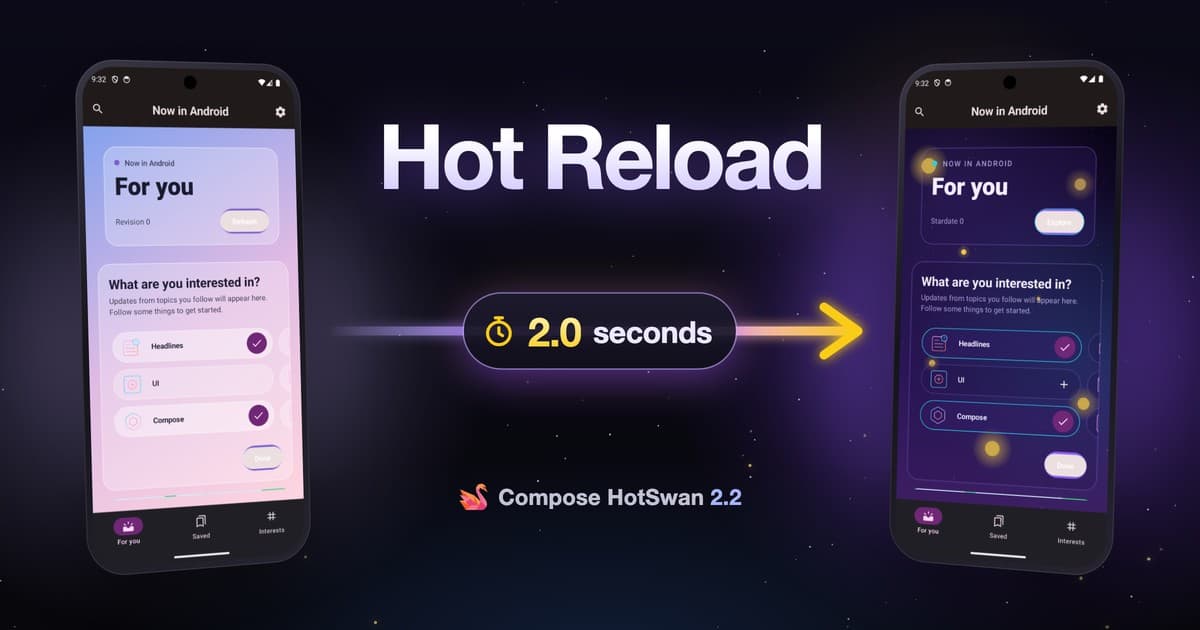
That is Compose HotSwan 2.0.0, and nothing in the clip was rebuilt. One Pokedex detail screen goes from a plain stats card to a completely different holographic layout, with new decoration, new structure, and code that did not exist a moment earlier. Both apps stay alive the whole time, and the two of them are not the same build: one is an Android device, the other is an iOS simulator, and both are following the same save.
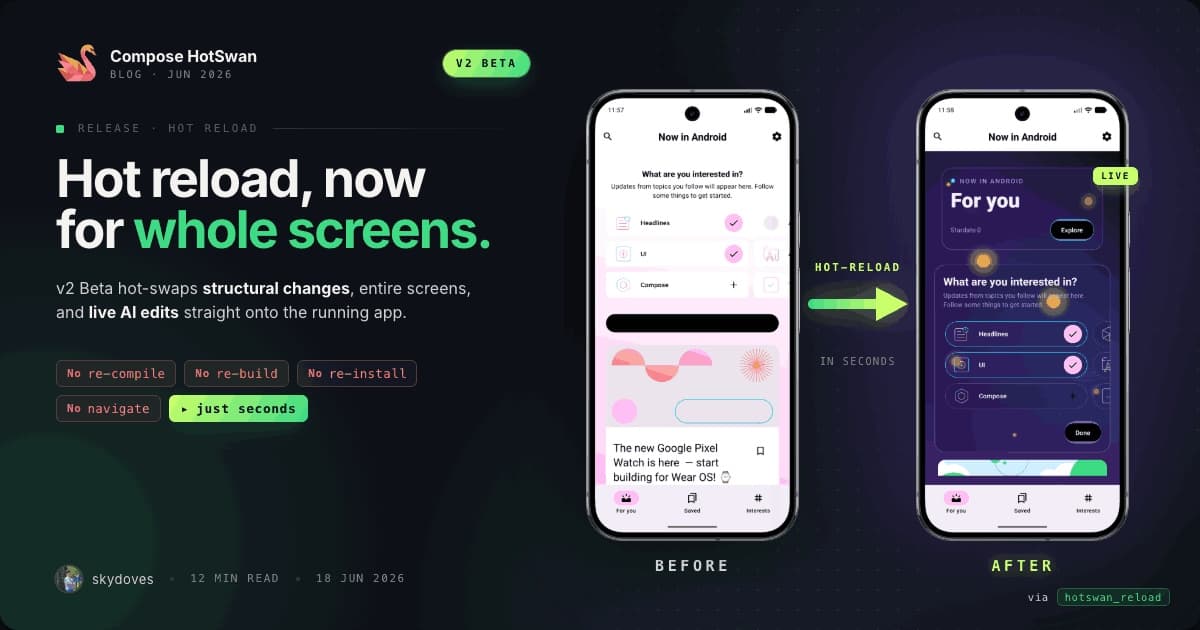
v1 was good at the everyday cases. Colors, padding, text, dimensions, the value edits a running app is willing to accept. The moment you added a composable or changed how a screen branched, you were back to a build and a fresh launch, which is where the feedback loop goes to die. 2.0.0 moves that boundary a long way out, because it stopped negotiating with the runtime and brought its own.
HotSwan v2 ships an interpreter engine that lives inside your app. New code is executed rather than installed, so a structural edit is routed around the runtime instead of being forced through it. The virtual machine is never asked to change its mind. That one decision is what lets a whole screen be replaced in place, and it is what made the iOS simulator and Compose Desktop possible without writing hot reload twice more.
In this article, you'll explore why the feedback loop is the part of app development that agents did not fix, what an interpreter engine of its own makes possible, how one save now reaches Android, iOS, and Desktop together, what changes when an agent drives that loop, and how the fastest path settles a design argument in milliseconds.
The build tax agents did not fix
Something strange happened to app development in the last two years. The two slowest parts of the job, writing the code and reviewing it, collapsed from days to hours. An agent can restructure a screen faster than you can describe what you want. And then the loop that tells you whether any of it was right runs at exactly the speed it ran at in 2019.
You still compile. You still wait for the app to be replaced on the device. You still watch it restart at the home screen, and then you tap your way back through seven screens, sign in again, load the same data again, and scroll to the same spot, just to look at one component. Nothing about that sequence got faster because the code arrived faster.
It also scales with the wrong thing. The cost of checking a change is set by the size of your project, not by the size of the change. A one word edit in a large multi module codebase costs the same as a rewrite. That is the build tax, and every agent iteration pays it in full.
The agent finishes in seconds, then everything after it runs at build speed. You see the result long after the decision that produced it.
The edit lands on the app you are already looking at. You are watching the result while the agent is still working, which is early enough to steer it.
The only part of the loop agents cannot compress is the part where reality answers back. Everything else about writing software got faster, and that one step did not. Make the answer arrive while you are still looking at the screen, and a generation loop turns into a decision loop.
An interpreter engine of its own
v1 lived inside a limit it could not argue with. Hot reload on Android traditionally means asking the runtime to accept a new version of a class that is already loaded, and the runtime accepts very little. Change a value inside a method and it will usually agree. Change the shape of the code, add a composable, alter a branch, and the answer is no. Everything past that point fell back to a rebuild, which is why every hot reload demo you have seen for a decade is somebody editing a color.
v2 stopped asking. HotSwan carries its own interpreter engine into the running app, and the class the virtual machine loaded at startup is never redefined, because it is no longer the thing that decides what runs. A structural edit is routed around the runtime instead of being pushed through the one narrow door it left open.
In the clip below the Bulbasaur screen is not being tuned. It gets a bubble field, a radial gradient, a depth vignette, a new information hierarchy, and a color language that shares nothing with what was there. The editor on the left is writing composables that did not exist. The app on the right never restarts.
Stop on what survived that. The app is the same process it was before the edit. The navigation stack still knows you came from the list. Your scroll position is where you left it, and every remember value that was not touched by the change is still holding what it held. Compose already tracks your UI as a tree of scopes, so when v2 applies a change the runtime knows precisely which scopes are affected and recomposes only those.
The same property is what made 2.0.0 a multiplatform release rather than an Android one. Because the engine is HotSwan's own rather than the platform's, the part that decides what recomposes did not have to be written three times. Each target plugs its own way of delivering code into it, and on Kotlin/Native that delivery is the piece that had to be new.
What changed since v1
What follows is a coverage table rather than a feature list. The short version is that the set of edits which force a rebuild got much smaller, and the set of places one save can land got larger.
| The change you make | v1 | v2 |
|---|---|---|
| Value edits (color, padding, text, dimensions) | Yes | Yes |
| Adding or removing composables | Limited | Yes |
| Reordering a layout | Limited | Yes |
| Changing control flow and conditional UI | Limited | Yes |
| Replacing an entire screen with new code | No | Yes |
| State and navigation kept across reloads | Yes | Yes |
| State kept on the iOS full reload fallback | No | Limited |
| Android device or emulator | Yes | Yes |
| iOS simulator | No | Yes |
| Compose Desktop (JVM) | No | Yes |
The iOS row is the one that is new in this release. Desktop arrived during the beta line and Android has been there since v1, but together the three of them are why the rest of the table is worth rereading. Every capability above them used to be an Android capability. It is now something a Compose Multiplatform project gets on all of its surfaces from one save.
Speed splits into two kinds, and it helps to know which one you are getting. A literal value edit skips compilation entirely and lands in about 5 milliseconds, on Android and on the iOS simulator alike. A structural change has to be compiled first, so on Android and Desktop it is a second or two from save to screen. On the iOS simulator that path ships a small dynamic image the running app loads, and it costs longer, on the order of ten seconds or more.
That last number is the honest one rather than the flattering one, and it is the reason the iOS latency gate is the one gate still failing its bar. It is also still a different activity from rebuilding, reinstalling, relaunching, and navigating back, which is what it replaces.
One save, three targets: Kotlin Multiplatform
If you write Compose Multiplatform, your bugs do not live inside a target. They live in the gap between targets, in the place where the Android build looks right and the iOS one does not, and you find out two rebuilds later. Checking that gap has always meant running one target, then the other, then trying to remember what the first one looked like.
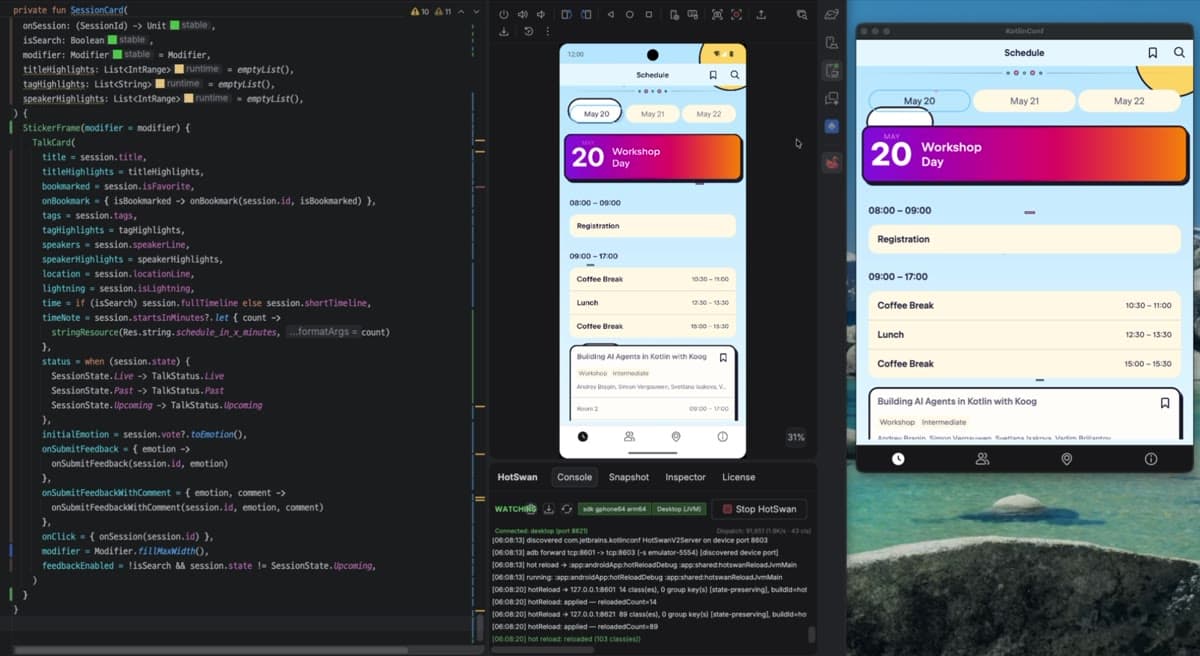
2.0.0 closes that gap by refusing to treat the targets as separate loops. Attach an Android device, an iOS simulator, and your desktop window, and they all follow the same save. In the clip below all three are running the same screen, and the redesign arrives on all three together while every one of them keeps running.
The iOS leg is new in 2.0.0 and ships Stable. Edit shared Kotlin and the change appears in the already running simulator app, with no Xcode rebuild, no reinstall, and no relaunch. Applying the Gradle plugin is the entire setup for it. There is no Swift line to add and no extra dependency to declare.
Desktop needs nothing beyond the Gradle plugin. The runtime self bootstraps the first time instrumented code runs, and your window then shows up as a target you select alongside your devices. A desktop window becomes just another surface the save reaches, and comparing two renderings of the same composable becomes something you do by looking rather than by remembering.
An agent in the loop, on every target
An agent is very good at producing a direction and very bad at knowing whether it was the right one. That is not a model problem. It is a loop problem: the thing that would tell it, a running app, has always been on the far side of a build. So agents learned to work the way you would work if you could only look once, which is to finish everything and then present it.
In the clip below the agent is driving. It is asked to take the For You screen of Now in Android to a galaxy style, and it works through the change in stages: a gradient first, then a star field, then animation. Watch the emulator rather than the terminal. Every time the agent saves a file the screen moves, and the app never restarts.
An agent that waits 40 seconds to see the effect of a change cannot iterate on a design. It can only guess, finish, and hand you the result to judge. An agent that sees its own output on a running app can try something, look at what actually happened through the HotSwan MCP server, and correct itself before it ever asks for your review.
It changes your side of it more. You are no longer reviewing a finished direction, you are watching one form. When the agent takes the screen somewhere you did not want, you see it on the second file rather than after the tenth, and one sentence puts it back on course. Catching a wrong turn early is worth more than any amount of speed after it.
The fastest path: literal patching
Not every edit deserves a compile, and v2 does not give it one. When what you changed is a literal, a color hex, a dimension, a string, a font size, or a number, HotSwan sends that value to the running app and skips compilation entirely. Inline literals patch in about 5 milliseconds.
In the clip below only a height value changes, and the artwork header resizes on the device as the number is typed. There is no build step in between. The loop is short enough that you can hold the arrow key and watch the layout move.
This turns out to matter most in a room with other people in it. Design review is an argument about small numbers, and it is normally conducted in the worst possible medium, which is words. Someone says the header is too tall, someone else says it looks fine, and the only way to settle it is a build that arrives after the meeting moved on.
With the fast path you settle it while the sentence is still in the air. Put the device on the table, change 290 to 260, and the question is answered. Spacing, corner radius, elevation, font size, line height, tint, opacity, the exact grey of a divider, all of them are one keystroke and one glance. For anyone who works with a designer who can see a single pixel out of place, that is the difference between agreeing on a value and agreeing to look at it again next week.
Getting 2.0.0
In this article, you've seen a build tax that survived everything else about software getting faster, an interpreter engine that carries structural change into a running app, one save landing on three targets, an agent iterating inside the loop instead of ahead of it, and a literal edit settling an argument in the time it takes to say it.
Two pieces, and they need to agree on the version. Apply the Gradle plugin to your app module, and install the Compose HotSwan plugin for IntelliJ or Android Studio from the install page. For a module with iOS targets the Gradle plugin is the whole setup, with no Swift line and no extra dependency. Compose Desktop needs nothing extra either, though calling the bootstrap early in your main() is still recommended, because it starts the runtime at a point you choose.
1plugins {
2  id("com.github.skydoves.compose.hotswan.compiler") version "2.0.0"
3}
A few things are worth stating plainly rather than leaving you to discover them. On iOS the reload target is the simulator, and your Compose entry has to be a top level, zero argument function returning a UIViewController: an entry that takes Swift supplied arguments is refused by name rather than reloaded wrongly. On Android the reload path is a debug time tool, so it stays out of your release builds and leaves that configuration alone. The iOS leg also publishes its own ten gate scoreboard rather than retiring it at release: four gates are met outright, five have a corner that is still unmeasured, and one, latency on the full reload route, is failing its bar.
The reference pages carry the detail this post skips: supported changes, literal patching, Kotlin Multiplatform setup, and limitations.
Try it on a screen you have been avoiding
If you are coming from v1, the shortest way to feel the difference is not to change a color. Open a screen you have been meaning to redesign, delete half of it, and write something else in its place while the app is running. That is the edit v1 could not carry, and it is the one 2.0.0 was built for.
If you want the longer background, the v2 beta announcement covers how the reload picks a path for each edit, and the desktop post covers how one engine drives more than one runtime.
Found something that does not reload the way you expected? The fastest way to get it fixed is a small repro on the Compose HotSwan issue tracker. Tell us what you changed, what you expected, and what the app did instead.
Hot reload in native Compose spent years catching up to feedback loops that other toolkits made look easy. With 2.0.0 the gap narrows on three targets at once, and the loop is finally fast enough to keep up with the tools writing the code.
As always, happy coding!
Jaewoong (skydoves)