Compose HotSwan Blog
Compose HotSwan Is Now Free for Everyone

November 27, 2026 · 10 min read

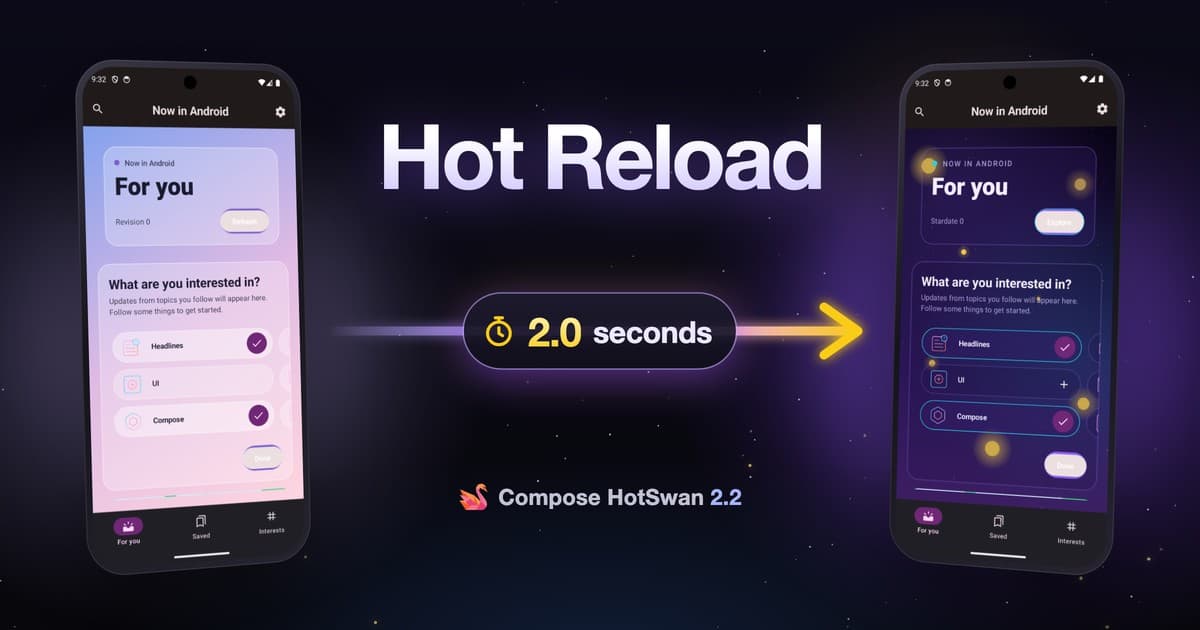
Starting with 2.3.0, Compose HotSwan is free for everyone. There is nothing to buy, no trial that runs out, and no subscription to renew. Install the IDE plugin, apply the Gradle plugin to your app, and your saves reach the app running on your device, with every feature that used to sit behind a license.
HotSwan has been in development for more than a year. It applies structural changes in your Compose code, such as a new composable, a new branch, or a whole new screen, to an app that is already running, something the Android runtime only partly supports on its own. As far as I know, it was the first hot reload system for Jetpack Compose on Android that could take a change that large, up to a whole screen rewritten with new functions and classes, into a running app with its state intact. It started on Android, and today the same save also reaches the iOS simulator and Compose Desktop.
I decided to make it free because I want far more developers to use it, and because I think a fast feedback loop should be part of every Compose project from the first day, without a team having to budget for it.
In this article, you'll explore the work behind HotSwan and why it is free now, what a structural change looks like on a running Android app, how one save reaches Android, iOS, and Desktop together, how an AI agent works inside the same loop, how to install 2.3.0, and where HotSwan is going next.
A year of hard problems, and why it is free
The first version of HotSwan worked like most hot reload tools on Android. It asked the runtime to swap in a new version of a class that was already loaded, and the runtime accepts only some kinds of change that way. Value edits worked well. Adding or removing composables and changing conditional UI worked in limited cases, and replacing a whole screen with new code meant a rebuild.
Getting past that took most of this year. HotSwan now ships an interpreter engine inside your debug app and runs the new code there, so the runtime never has to accept a changed class. That solved one problem and exposed the ones that only appear once structural reload works at all. Remembered state and the navigation stack had to survive an edit. Compose had to be told which parts of the screen to run again. Real apps, with dependency injection, many modules, and third party navigation, had to keep running through a reload. Then all of it had to work a second time on Kotlin/Native, because the iOS simulator has no virtual machine to lean on.
Some of those took weeks, and a few took months. More than once, the answer that looked obvious turned out to be wrong, and I only found out after building it and measuring it on a real app.
After that much work, I want HotSwan in as many hands as possible. It has improved most when someone ran it on a project I had never seen and filed an issue about what broke, and each of those reports made the next save more reliable for everyone else. A price gets in the way of that, because many developers never try a paid tool at all, and their projects are the ones I have not tested.
There is a wider reason too. Compose is how Android UI is written now, and Compose Multiplatform takes the same code to iOS and the desktop. Web and Flutter developers have had a fast feedback loop for years, and you can see it in how they build: they change something, look at it, and change it again. I want Compose developers to work that way by default, so that checking a change on a real device costs a save instead of a build. I would also like the libraries, samples, and design systems around Compose to grow up with that loop already in place.
If you bought a license or subscribed over the past year, thank you. You paid for the time that made this release possible.
What Compose HotSwan does
While your app runs, HotSwan watches your source files. When you save, it works out what changed and applies it to the running app, without a full rebuild, a reinstall, or a relaunch. You stay on the screen you were looking at, with its navigation stack and, for most edits, the remembered values your edit did not touch.
Each save takes one of two paths. A literal edit, such as a color, a dimension, a string, or a number, skips compilation and lands in well under a second. Anything else, such as adding a composable, changing how a screen branches, or rewriting a function, is compiled first and then applied inside the running app, where HotSwan's interpreter engine runs the new code on Android and Desktop. That takes seconds, compared with the minutes a rebuild, a reinstall, and the walk back to the same screen usually cost.
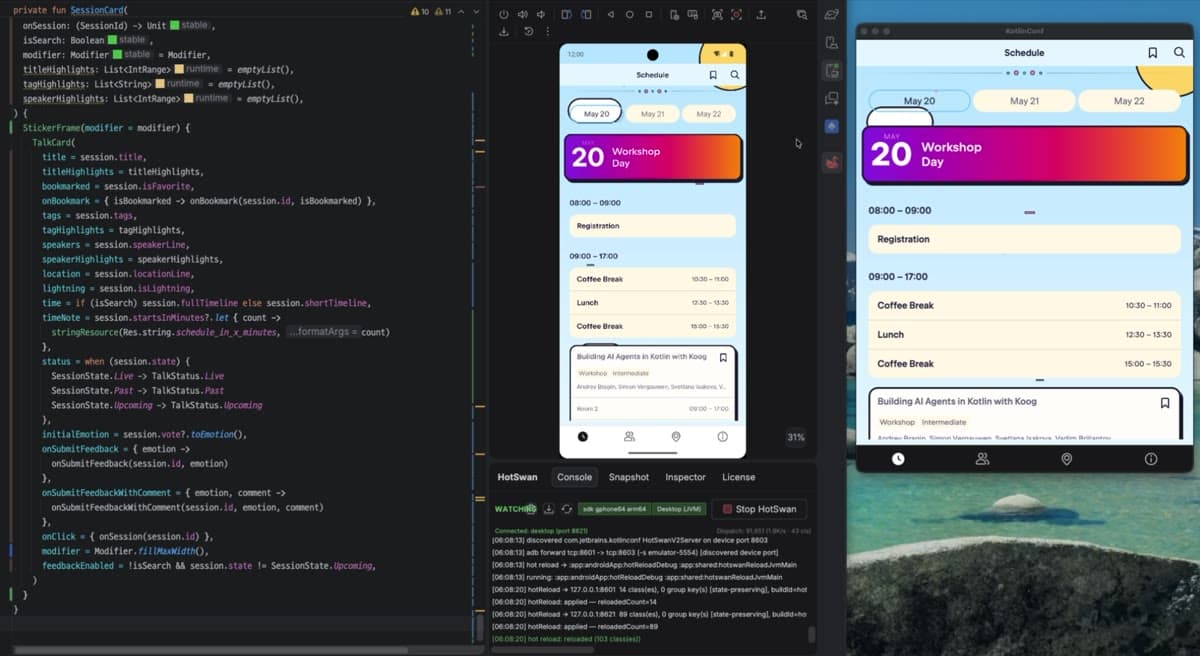
There are two things to install. The IDE plugin for Android Studio or IntelliJ IDEA watches your saves and sends them to the app. The Gradle plugin adds the Kotlin compiler plugin that prepares your debug build, and the runtime that applies each change inside the app. On Android, your release builds carry none of it.
Structural changes on Android
For most of its history, hot reload on Android could not carry the edit in the clip below. The Bulbasaur detail screen in Pokedex gets a new design while the app keeps running: a field of bubbles, a vignette that darkens the edges with a radial gradient, and a new layout for the stats. All of it is new code, including new functions and a new class, written after the app was launched.
Nothing on the device restarted, and pressing back still takes you to the list. HotSwan runs the screen's composables again with the new code while Compose keeps the state they already hold, so the screen changes in place instead of starting over.
A few changes still need more than a reload. Changing a class's superclass or the interfaces it implements needs a process restart, which HotSwan performs for you and which still costs far less than a rebuild. Adding a brand new resource needs a reinstall, because resource IDs are assigned at build time and the one you just created does not exist on the device yet. The limitations page lists the rest.
One save, three platforms: Compose Multiplatform
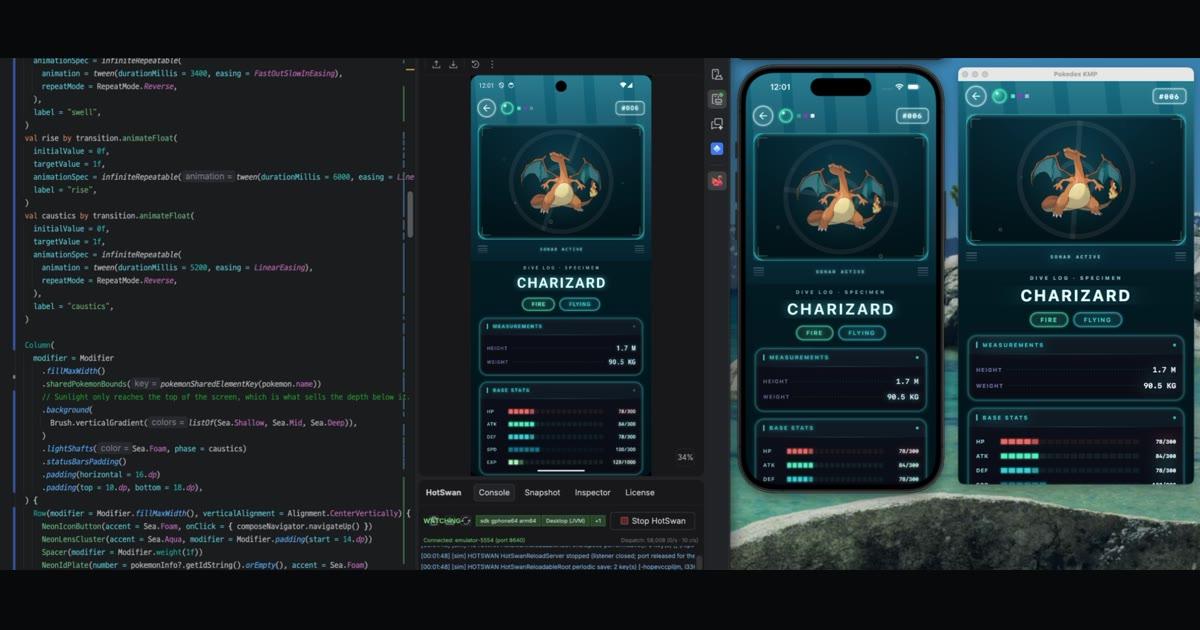
On a Compose Multiplatform project, the same screen can come out slightly differently on each target, and checking that usually means building and running one target at a time. In the clip below, the Pokedex detail screen runs on an Android emulator, an iOS simulator, and a Compose Desktop window, and one save redesigns it on all three without relaunching any of them.
On the Gradle side, the setup is the plugin alone. Apply it to the module that owns each app: your Android application module, and the module that declares binaries.framework for iOS. In a typical project, Compose Desktop needs no apply of its own, because it is another target of that same module, and iOS needs no Swift changes. Run your apps, select them in the HotSwan tool window, and each save goes to the Android device, the simulator, and the desktop window together. If your Android application module is not named app, set its Gradle path once in the HotSwan settings.
On the iOS simulator, the change reaches the app that is already running in one of three ways: as instructions HotSwan's interpreter runs inside the app, as a small natively compiled library, or, for some edits, as a freshly linked framework. The last two take longer than a structural reload on Android. In every case the app stays open, with no Xcode build and no relaunch. The Kotlin Multiplatform guide covers each target in detail.
An AI agent in the loop
An agent can write a screen in seconds, but it cannot see the screen. When the only way to look at a change is a full build, it writes every file first and leaves the checking to you. By the time you look, everything after the agent's first wrong turn has been built on top of that mistake.
The clip below shows what changes when every write lands on the device. The agent was asked to give the For you screen of Now in Android a galaxy theme that had been prepared in four stages. It writes each stage into the same file about five seconds apart, from a plain gradient to a star field with pulsing stars, and the screen on the emulator updates after every write while the app keeps running.
With HotSwan running, every file an agent writes is a save like any other, so it reaches the device a moment later. The HotSwan MCP server goes further. Through it, the agent can trigger a reload, take a screenshot of the result, and check whether the edit actually reached the screen, then fix its own mistakes before it asks for your review. On Android, the agent can also tap through the app to reach the screen it is working on. The agent skill tells your agent which edits HotSwan applies to a running app and how to check the result.
On your side, the difference is timing. You see a wrong turn while the agent is still making it, and correcting it then costs far less than reviewing a finished change and starting over.
Installing 2.3.0
Setup takes a few minutes. There is nothing to activate, and the IDE plugin no longer contacts any server on the internet.
First, install the IDE plugin. In Android Studio or IntelliJ IDEA, open Settings → Plugins → Marketplace, search for Compose HotSwan, install it, and restart the IDE. You can also get it from the JetBrains Marketplace.
Next, add the Gradle plugin to your version catalog:
1[plugins]
2hotswan-compiler = { id = "com.github.skydoves.compose.hotswan.compiler", version = "2.3.0" }
Register it in the root build script without applying it:
1plugins {
2  alias(libs.plugins.hotswan.compiler) apply false
3}
Then apply it in your app module:
1plugins {
2  alias(libs.plugins.hotswan.compiler)
3}
Run your app as usual with the Run button, open View → Tool Windows → HotSwan, select your device, and click Start HotSwan. From then on, edit any Kotlin file and save. The install guide walks through each step with screenshots, and the Kotlin Multiplatform guide covers projects with iOS and desktop targets.
If you already use HotSwan 2.x, update the IDE plugin first. The 2.3.0 IDE plugin still works with Gradle plugin 2.0.0 through 2.2.0, so your project keeps reloading until you update the Gradle plugin. Then change the version in your catalog to 2.3.0, sync Gradle, and run your app once, so the app on your device is built by 2.3.0 before your next save that changes more than a literal value. If you use the MCP server, restart your AI tool after updating so it starts the server that ships with 2.3.0. The release notes list everything else that changed in 2.3.0.
The future of Compose HotSwan
Agents have made writing and reviewing code much cheaper in a short time, enough that software development is starting to split into before and after them. Checking the result has not kept up. Without hot reload, it still means compiling, installing, relaunching, and tapping your way back to the screen you care about.
In the 2.0 post I called this the build tax. Its cost grows with the size of your project far more than with the size of your edit, and an agent pays it on every iteration. An agent that waits minutes for every check can only finish the whole change and hand it over, while one that sees the result in seconds can look after every step and decide what to do next.
Taking that tax out of the agent's loop is where HotSwan is heading. Today the IDE sits at the center of the loop, and agents reach it through the MCP server. Much of the work with agents now happens in the terminal, so the plan is a dedicated Compose HotSwan CLI that runs the same reload loop there, and an AI toolkit designed for agents from the start:
- Apply and confirm: apply a change and get back structured evidence of what reached the screen.
- Look and compare: capture how the app looks before and after a change, and put variants side by side.
- Navigate: drive the app to the screen being worked on.
- Explain failures: report a failed reload precisely enough that the agent can fix it without a person translating the error.
Parts of this exist in the MCP server today, and the CLI will bring them into the terminal, where the agent already runs builds and tests. The goal is a loop where an agent makes a decision, sees the result on a real device or simulator within seconds, and makes the next decision from what it saw, so that each step costs a small fraction of one trip through the build.
Try it on your own project
If your trial ran out, or you never tried HotSwan because of the price, now is a good time. Pick a screen you want to change, run the app, and rework its layout while it is running. If something does not reload the way you expected, a small repro on the Compose HotSwan issue tracker is the fastest way to get it fixed.
Hot reload is a tool you stop noticing once it works, because you stop waiting for your app. With the price gone, I hope it becomes that for every Compose developer.
As always, happy coding!
Jaewoong (skydoves)