Documentation
HotSwan Preview Runner
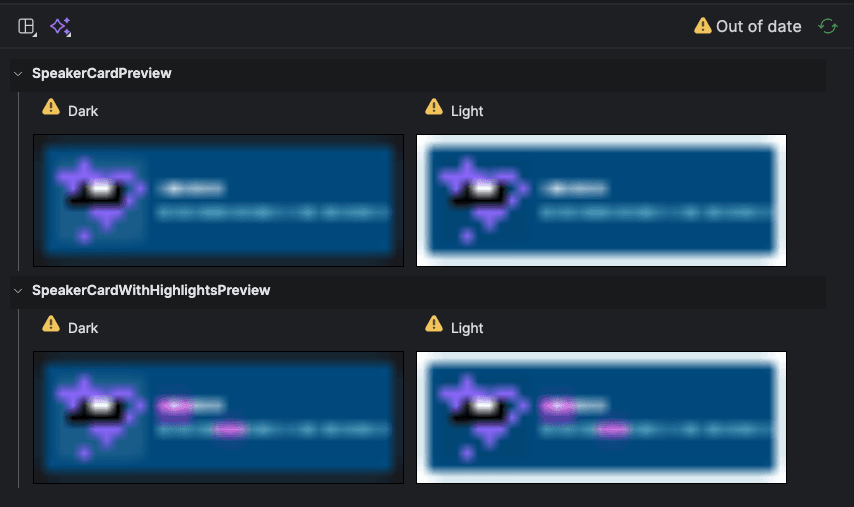
Without HotSwan
Android Studio's built-in @Preview requires a full build every time you change anything: a composable parameter, a resource value, even a single color. On large projects this means anywhere from 30 seconds to 5 minutes of waiting per iteration. Even changing a single value in strings.xml or colors.xml triggers the exact same full rebuild cycle, just to see one updated string or color.
In every scenario, isn't the preview lag you "always" run into kind of annoying?
With HotSwan
HotSwan's Preview Runner flips this entirely. Run your app once, and every subsequent preview renders inside that running app. REAL physical device, real data, zero rebuild. Resource changes like strings.xml and colors.xml are reflected in under a second too, without touching Gradle at all.
The Problem with Compose Preview
The standard Compose Preview in Android Studio has long been a pain point for Android developers:
Full build on every single change
Change a font size, tweak a color, or update a string resource. It doesn't matter how small the edit is. Compose Preview triggers a full Gradle compilation every time, and on multi-module projects that can easily take 1 to 5 minutes per iteration.
Heavy IDE tooling that slows everything down
The preview renderer runs inside the IDE process itself, consuming significant memory and CPU. The more previews you have, the slower your entire editor becomes. Code completion lags, indexing stalls, and the IDE feels unresponsive.
Running on device takes even longer
Android Studio's “Run Preview on Device” option compiles a full test APK, installs it, and launches a test runner. This regularly takes over a minute, making rapid iteration impossible.
How It Works
HotSwan's Preview Runner takes a fundamentally different approach. Instead of rebuilding, it leverages the already-running app on your device and launches your @Preview composable directly via an Activity that is included in the debug build.
App is running
Your app is already installed and running on the device from a previous build. No additional compilation needed.
Click gutter icon
Click the HotSwan  icon in the editor gutter next to any
 @Preview function.
It renders on device
An ADB intent launches the composable inside the app already running on the device. No build, no test APK, no install.
The runner does not go through the reload engine. It starts a preview Activity that ships inside your debug build and asks it to render the composable you clicked, which is why it works whether or not a reload session is running. Because the app is already compiled and running on the device, there is no build step required to display a preview. The result is a near-instant rendering cycle that feels completely different from the traditional Compose Preview workflow.
Setup
Add the preview library to your app module's build.gradle.kts. This is a debugImplementation dependency, so it is completely excluded from release builds.
dependencies {
    // HotSwan Preview Runner (debug only)
    debugImplementation("com.github.skydoves.compose.hotswan:preview:<version>")
}
Replace <version> with the latest release version from the release notes. That's it. No annotation processors, no Gradle plugin changes, no manifest edits.
The Preview Runner is Android only. It renders on a device or emulator, so there is nothing for it to do on an iOS simulator session, where HotSwan refuses it by name rather than firing at whatever else is attached. Compose Desktop is not covered either. Hot reload itself runs on all three; this feature does not.
Running a Preview
Prerequisites: your app must be running on a connected device or emulator. HotSwan will show a notification if the app is not detected.
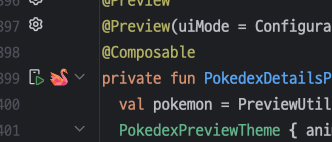
Open any Kotlin file containing an @Preview composable. You'll see the HotSwan icon in the editor gutter, right next to the function declaration. Click it, and the preview renders on your device almost instantly.
The entire round trip, from click to pixels on screen, is an ADB intent and one composition. Nothing is compiled, nothing is installed, and the app process is not restarted, so what you wait on is the device rather than Gradle.
Frequently Asked Questions
How fast is HotSwan's Preview Runner?
There is no build in the loop, which is where preview time normally goes. Your app is already compiled and running, so clicking the gutter icon sends an ADB intent that renders the composable inside that running process. No Gradle build, no test APK, no install.
Does Preview Runner replace Android Studio's built-in @Preview?
It complements it. Android Studio's preview renders in the IDE. HotSwan's Preview Runner renders on a real device with real data, real fonts, and real system behavior.
Can I generate screenshots of all previews?
Yes. Run ./gradlew captureAllPreviews to capture every @Preview function and generate a browsable HTML catalog. To capture a subset, tag previews with @PreviewScreenshot(tags = ["smoke"]) and pass -Photswan.preview.tags=smoke. A tag placed on a custom multipreview annotation is inherited by every function that uses it.